Surfacing critical exceptions without disrupting the workflow
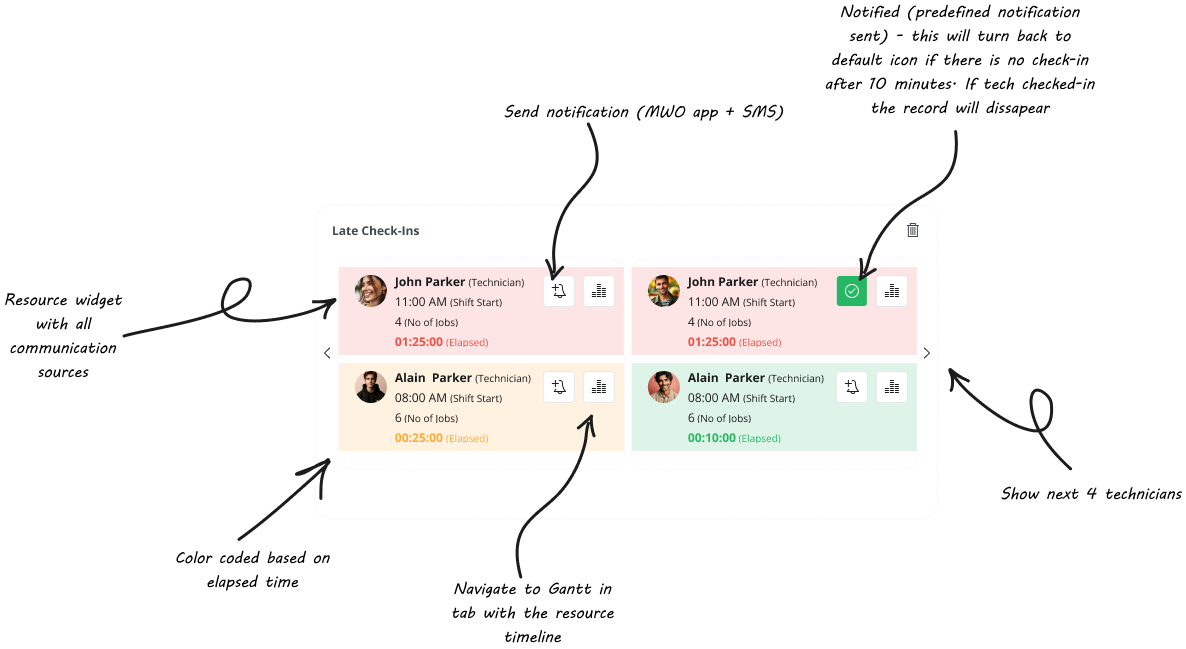
The Late Check-in Widget was designed as part of the IFS Home experience to help users quickly identify and act on delayed check-ins. The goal was to surface critical information directly on the home dashboard, reducing the need to navigate through multiple screens while ensuring that users could proactively manage exceptions.
As the UX Designer on the project, I led the discovery, design, and validation activities, working closely with product stakeholders and developers to shape a solution that balanced business needs with a simple and intuitive user experience.
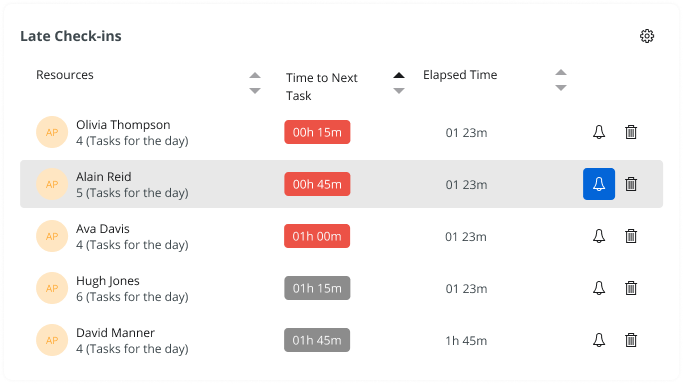
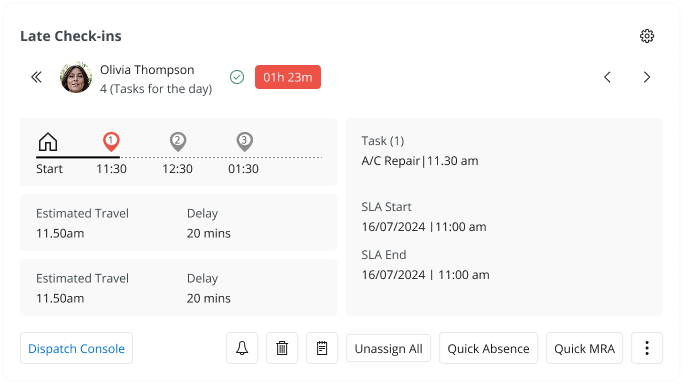
Led end-to-end product design
I was responsible for driving all UX activities for the Late Check-In Widget — from discovery and research through ideation, validation, and delivery.
Dispatchers were missing critical exceptions — with no single place to act
Users had limited visibility into late check-ins and often relied on manual monitoring or separate reports to identify issues. As a result, important exceptions could be missed, follow-up actions were delayed, and users spent unnecessary time navigating between different parts of the system.
I needed to design a solution that would increase visibility of late check-ins, surface actionable information at the right time, reduce monitoring effort, and integrate naturally into users' daily workflows.
Understanding the problem
Rather than jumping directly into solution design, we focused on building a thorough understanding of the problem space through focused research and stakeholder engagement.
Mapping the dispatcher's journey end-to-end
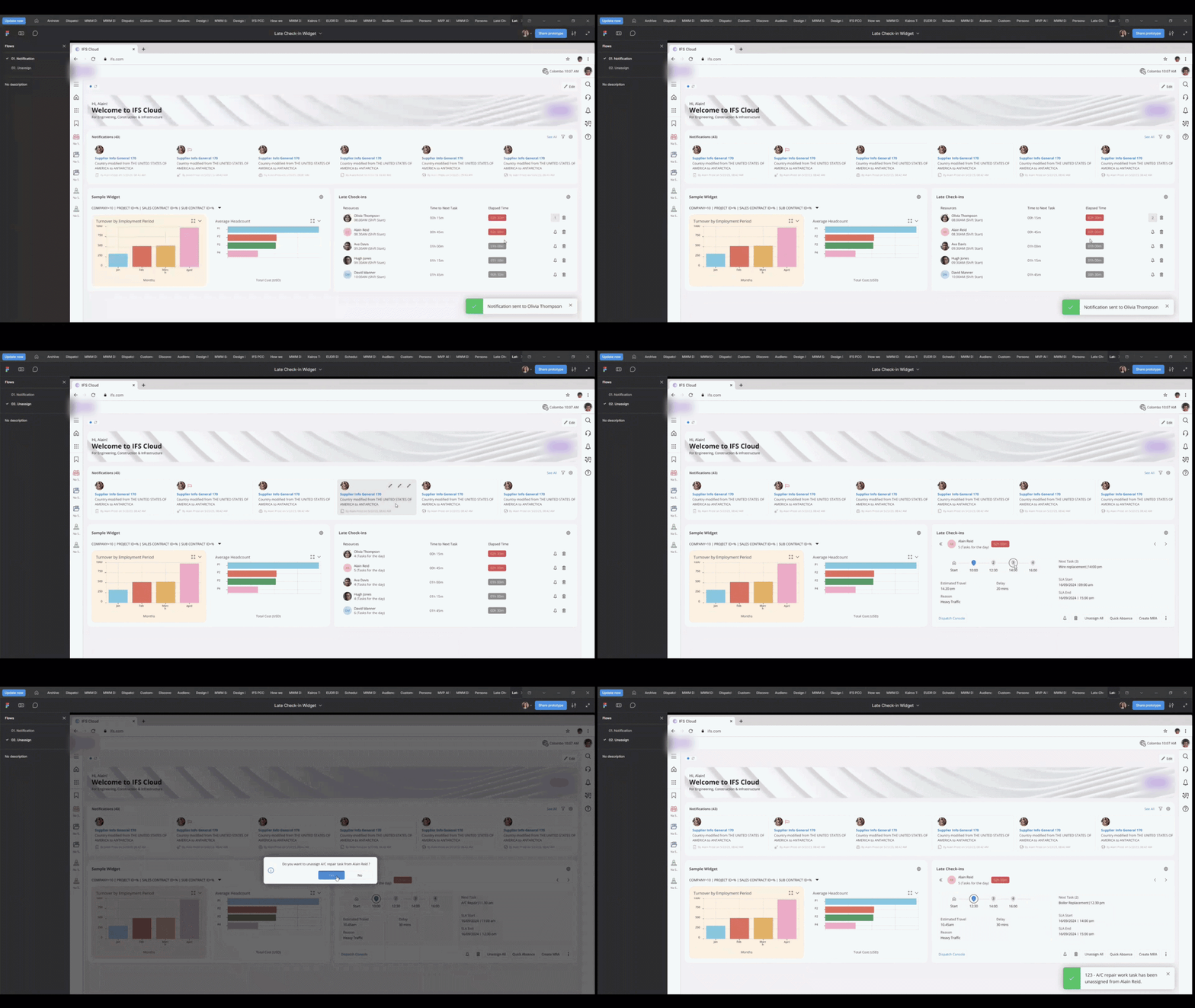
A user flow was created to trace how a dispatcher would move from noticing a late check-in alert through to investigating the exception and taking action — helping align the team on key decision points before wireframing began.
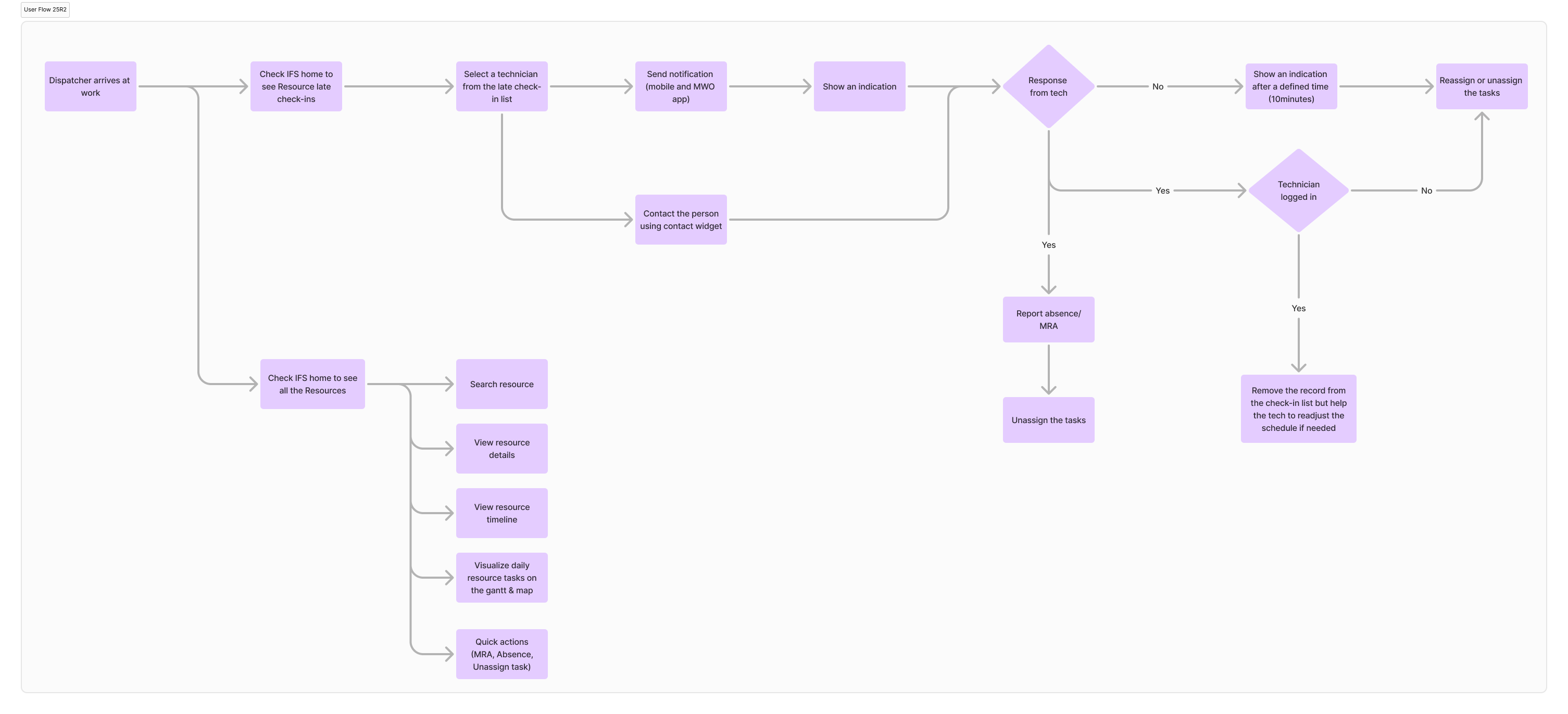
User flow — mapping how dispatchers monitor and respond to late check-ins
Dispatchers lacked a centralized and proactive way to monitor missed technician check-ins, resulting in delayed issue detection, reduced operational visibility, inefficient exception handling, and slower customer communication.
8 pain points surfaced from the field
Stakeholder workshops and workflow analysis surfaced a cluster of visibility, prioritisation, and efficiency problems that dispatchers faced every shift.
Every dashboard widget competes for attention
Finding the right balance between visibility and simplicity was one of the central tensions of this project. These four challenges shaped every design decision.
The primary purpose of the widget was to surface late check-ins that required attention. However, I needed to ensure the widget remained informative without overwhelming users with excessive alerts or details.
Users typically access IFS Home to get a quick overview of their responsibilities. I needed to design an experience that allowed users to identify issues within seconds, understand their severity, and determine whether action was required.
The widget had to fit within the existing IFS Home layout while maintaining consistency with other dashboard components. This required careful prioritization of information and thoughtful use of visual hierarchy.
Some users only needed awareness of late check-ins, while others required immediate access to more detailed information. I needed to create a solution that supported both use cases without increasing complexity.
Validated, refined, shipped
Design iterations were tested with planners and dispatchers to validate usability and refine the experience. Each round surfaced new insights that shaped the final widget.
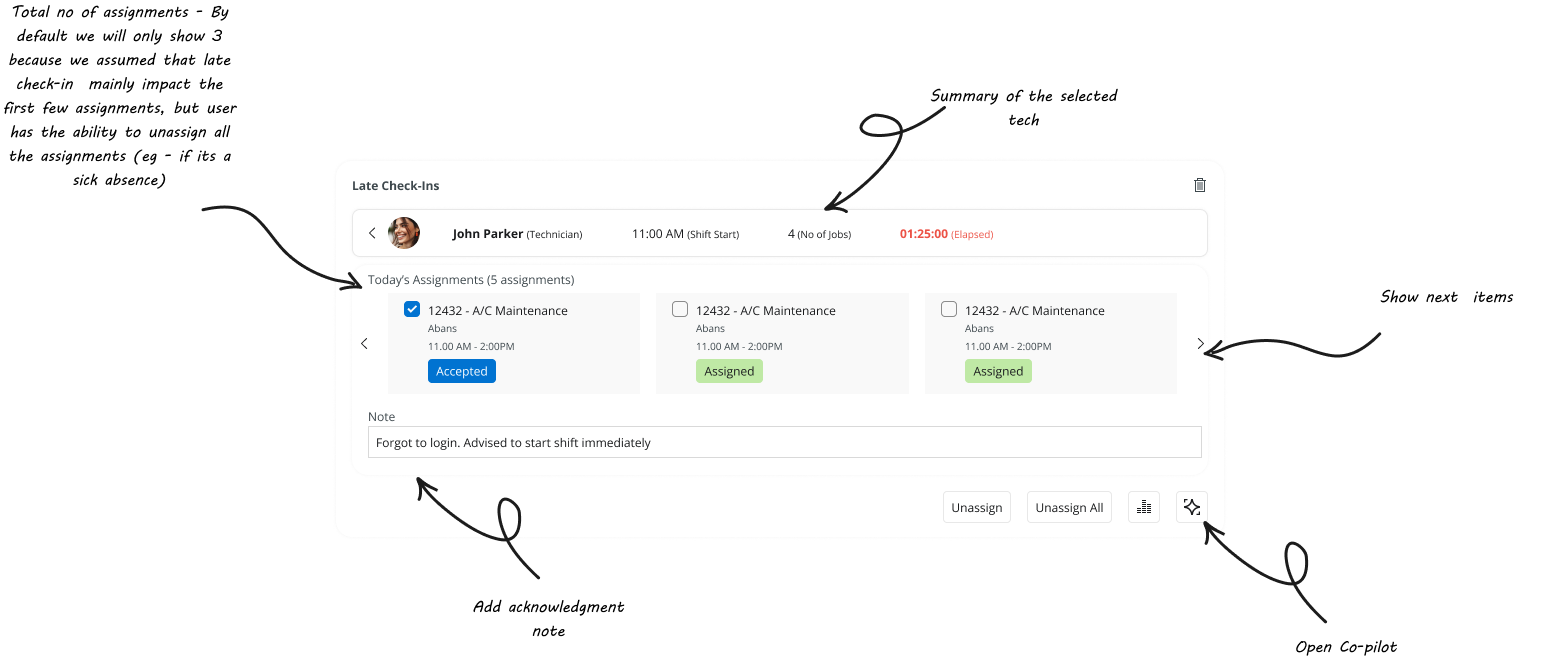
Impact
The Late Check-in Widget transformed a previously reactive process into a more proactive experience by surfacing important exceptions directly within users' daily workflow.
Users no longer needed to regularly check multiple areas of the system to identify overdue check-ins. Relevant information became immediately accessible upon opening IFS Home.
By bringing critical information to the dashboard, the solution reduced the need for manual tracking and repetitive navigation.
The improved visibility enabled users to identify and investigate issues more quickly, helping them respond sooner when attention was required.
The widget demonstrated how small, targeted interventions can deliver meaningful value by reducing friction and helping users stay focused on their priorities.