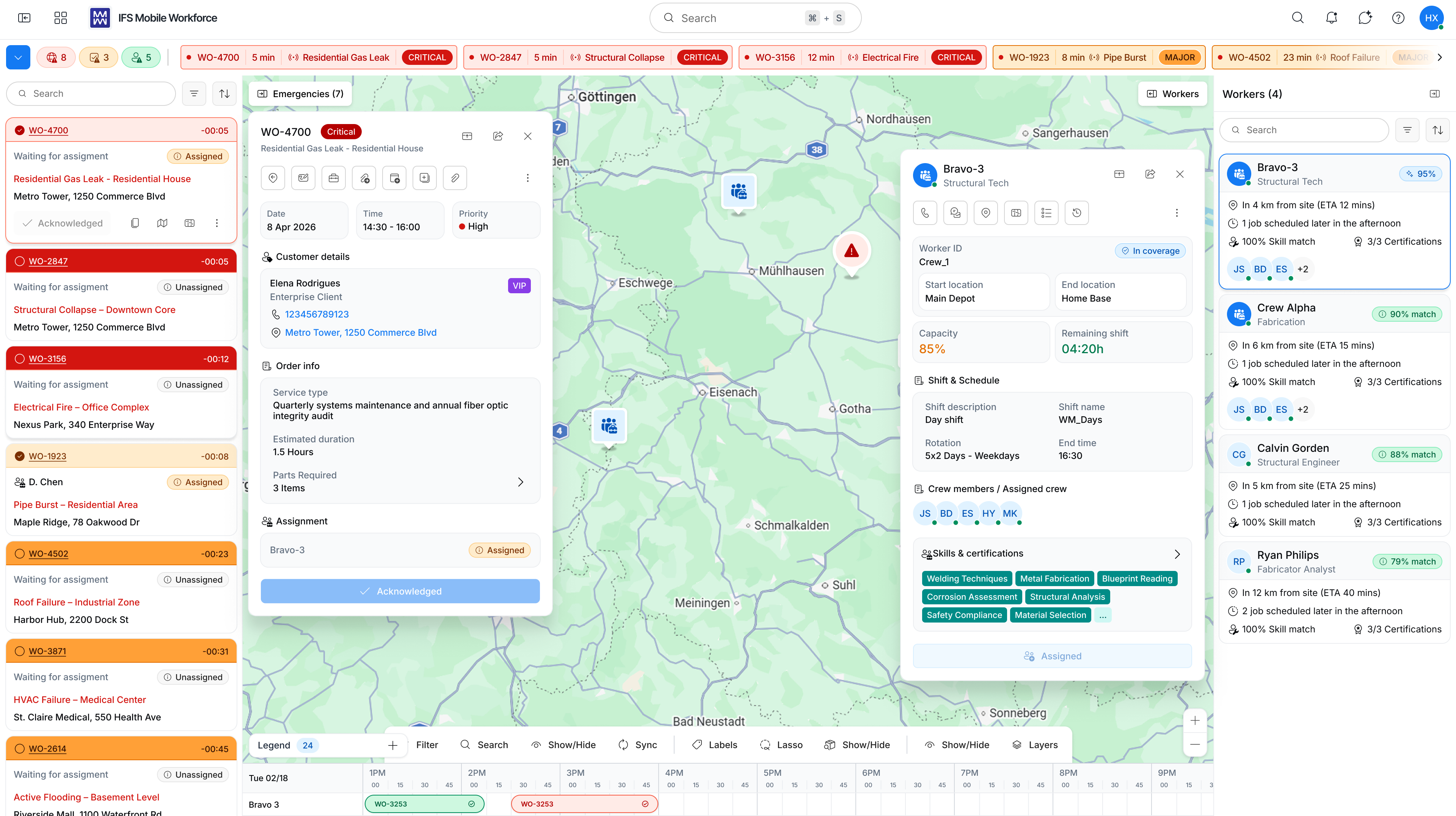
Modernizing a mission-critical workforce management platform used by utilities and field service organizations
Mobile Workforce Management
Role
Senior Lead UX Designer
Product
IFS MWM (Web)
Activities
Discovery · Design · Validation · Leadership
Collaborators
PM · Engineering · Customers
Overview
Shaping the future of a mature enterprise platform — without disrupting the workflows customers depend on
Mobile Workforce Management (MWM) is an enterprise workforce scheduling and dispatching solution used by organisations to manage field service operations, assign work, optimise schedules, and support mobile workers in the field.
As the Senior Lead UX Designer, I played a key role in shaping the future vision of MWM by driving discovery activities, leading customer validation efforts, facilitating workshops, and designing experiences that balanced business complexity with usability.
My focus was not simply to redesign screens, but to ensure that product decisions were grounded in a deep understanding of dispatchers, planners, schedulers, and field workers.
My Role
Led product discovery and experience strategy
I was responsible for driving the discovery and design activities for the Mobile Workforce Management transformation initiative — working closely with customers, product management, and engineering to uncover user needs, validate opportunities, and shape the future experience vision.
Discovery
Facilitated customer workshops and stakeholder alignment sessions
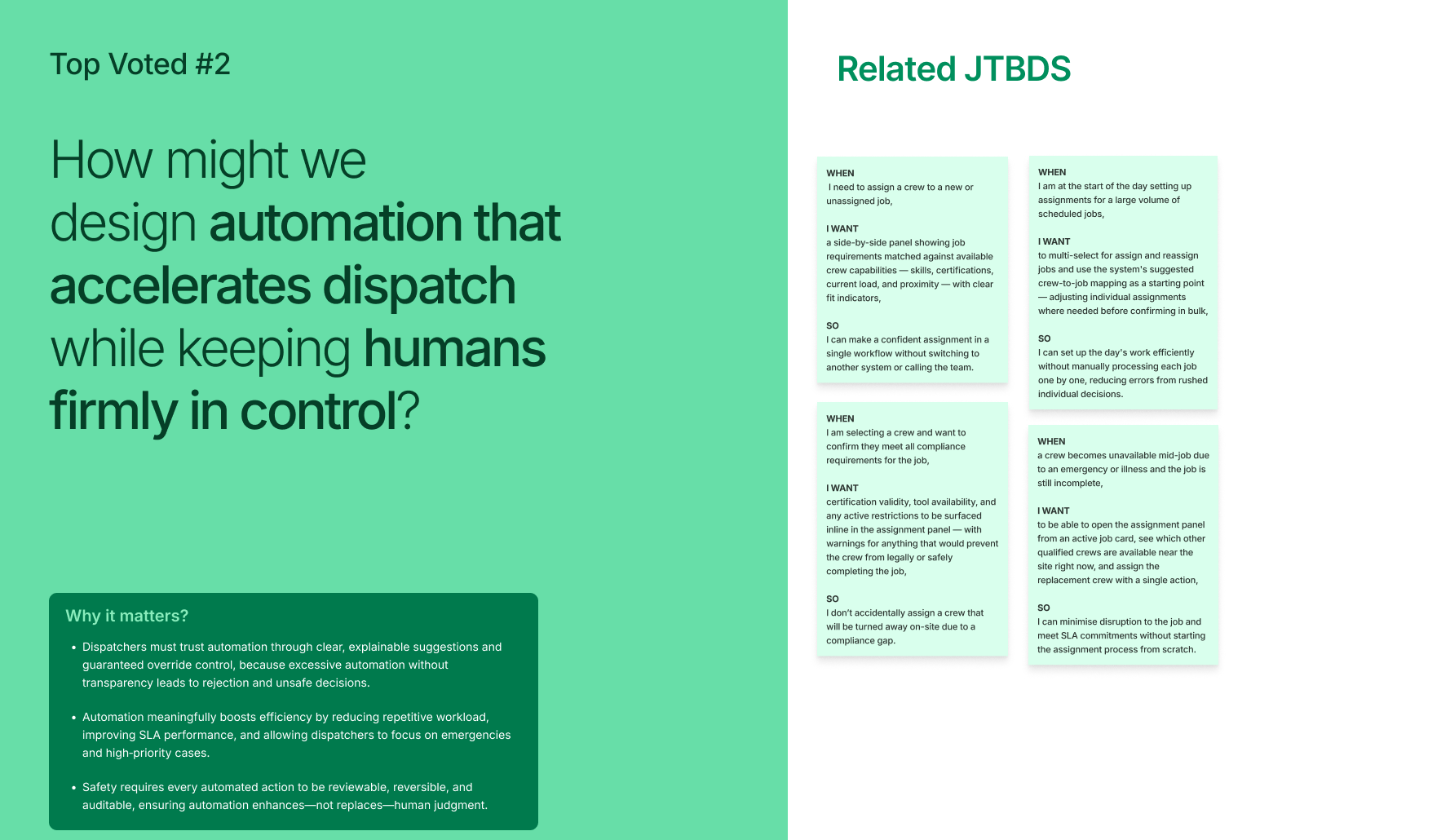
Led problem-framing, opportunity mapping, and Jobs-to-be-Done activities
Defined design principles and product experience direction
Research
Conducted customer interviews and usability studies
Mapped end-to-end workforce scheduling and dispatching workflows
Synthesized insights, pain points, and unmet user needs
Validation
Developed prototypes to test concepts with customers
Facilitated validation workshops and iterative feedback sessions
Prioritized opportunities based on customer value and business impact
Collaboration
Partnered closely with Product Managers and Engineering teams
Influenced roadmap discussions through evidence-based insights
Helped establish a customer-centric discovery and design process
The Challenge
A mature platform in need of transformation — without breaking what works
MWM is a powerful but complex enterprise product with years of accumulated functionality and deep customer investment. While it handled mission-critical operations, the user experience had grown difficult to navigate — with high cognitive load, legacy interaction patterns, and workflows spread across multiple screens.
The challenge was to modernise the experience while preserving the flexibility and power that utilities and field service organizations depended on every day.
Complex Workflows
Scheduling and dispatching tasks were spread across multiple screens, requiring constant context switching and increasing the risk of errors.
High Cognitive Load
Dispatchers managing large, dynamic workforces had to hold significant context in their heads, making decisions under time pressure with limited visibility.
Legacy Patterns
Years of accumulated functionality had created interaction patterns that were difficult to learn, inconsistent across modules, and hard to extend.
Diverse Customer Models
Different customers operated very differently — utilities, telecoms, field service — each with unique processes, team structures, and operational priorities.
Key Questions
?How might we simplify complex workflows without removing the flexibility customers depend on?
?How can we reduce cognitive load for dispatchers managing large, dynamic workforces in real time?
?How do we design for diverse customer operational models within a single shared platform?
?How can we modernise the platform incrementally without disrupting existing mission-critical workflows?
Discovery
Understanding the problem
Rather than jumping directly into solution design, I focused on building a thorough understanding of the problem space through four research streams.
Customer Interviews
Conducted in-depth interviews with dispatchers, planners, and schedulers to surface current workflow patterns, daily challenges, existing workarounds, and unmet needs.
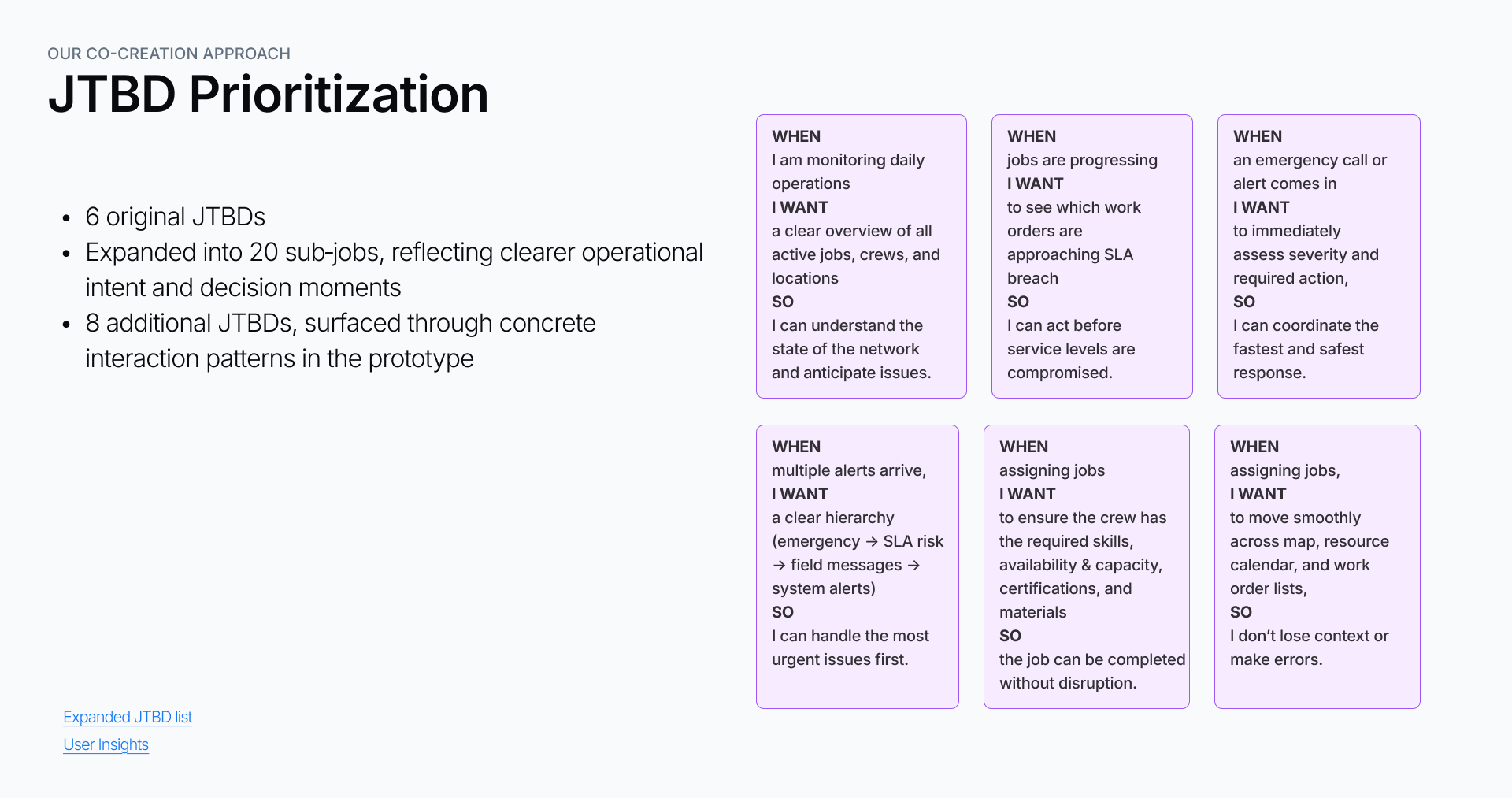
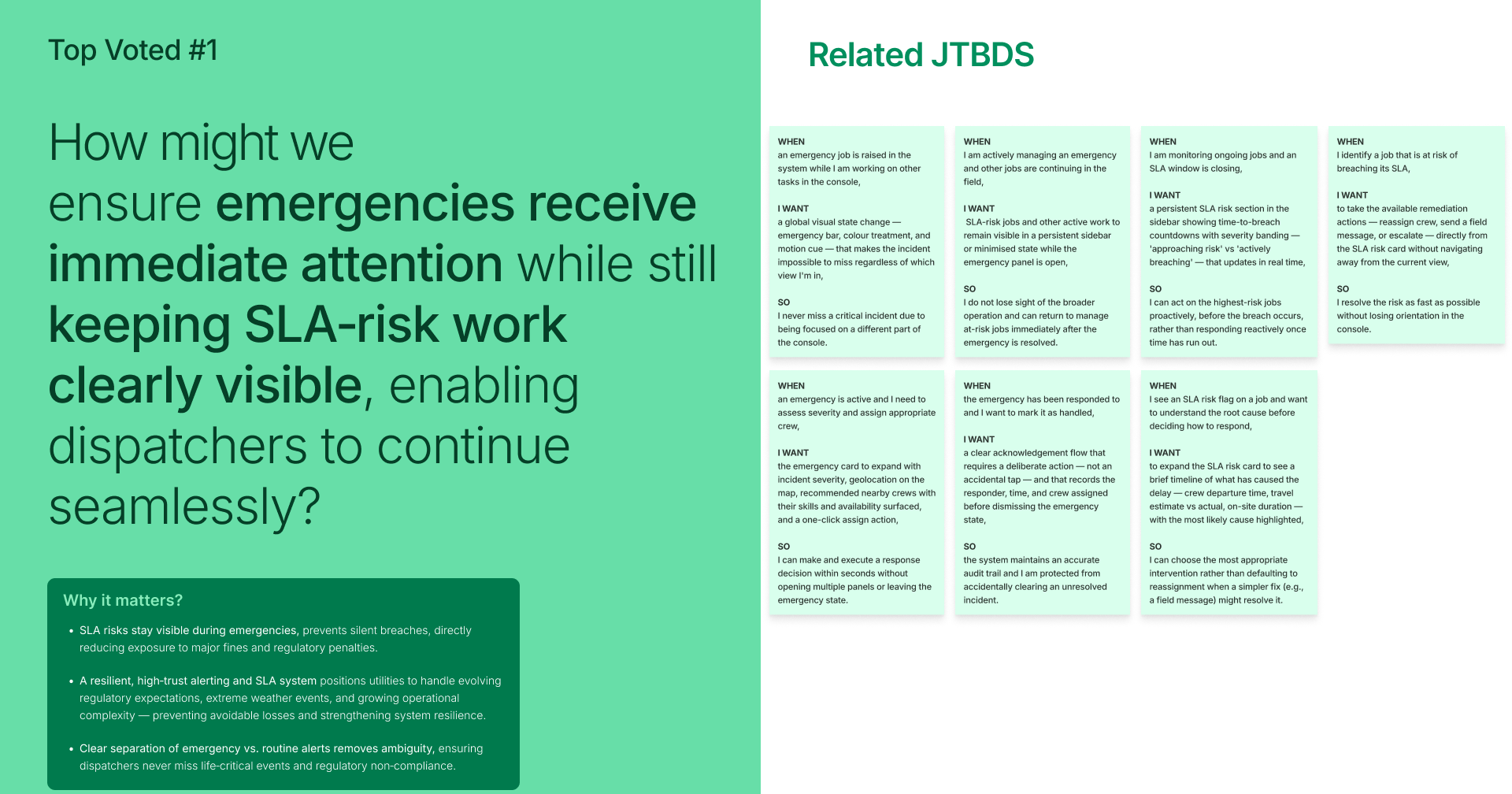
Jobs-To-Be-Done Workshops
Facilitated JTBD workshops with customers and internal stakeholders to uncover user goals, decision-making processes, and the outcomes users were really trying to achieve.
Workflow Analysis
Mapped end-to-end scheduling and dispatching workflows to identify process bottlenecks, context-switching friction, information gaps, and opportunities for automation.
Concept Validation
Ran early concept discussions and stakeholder alignment sessions with customers and subject matter experts to validate that we were solving the right problems before investing in design.
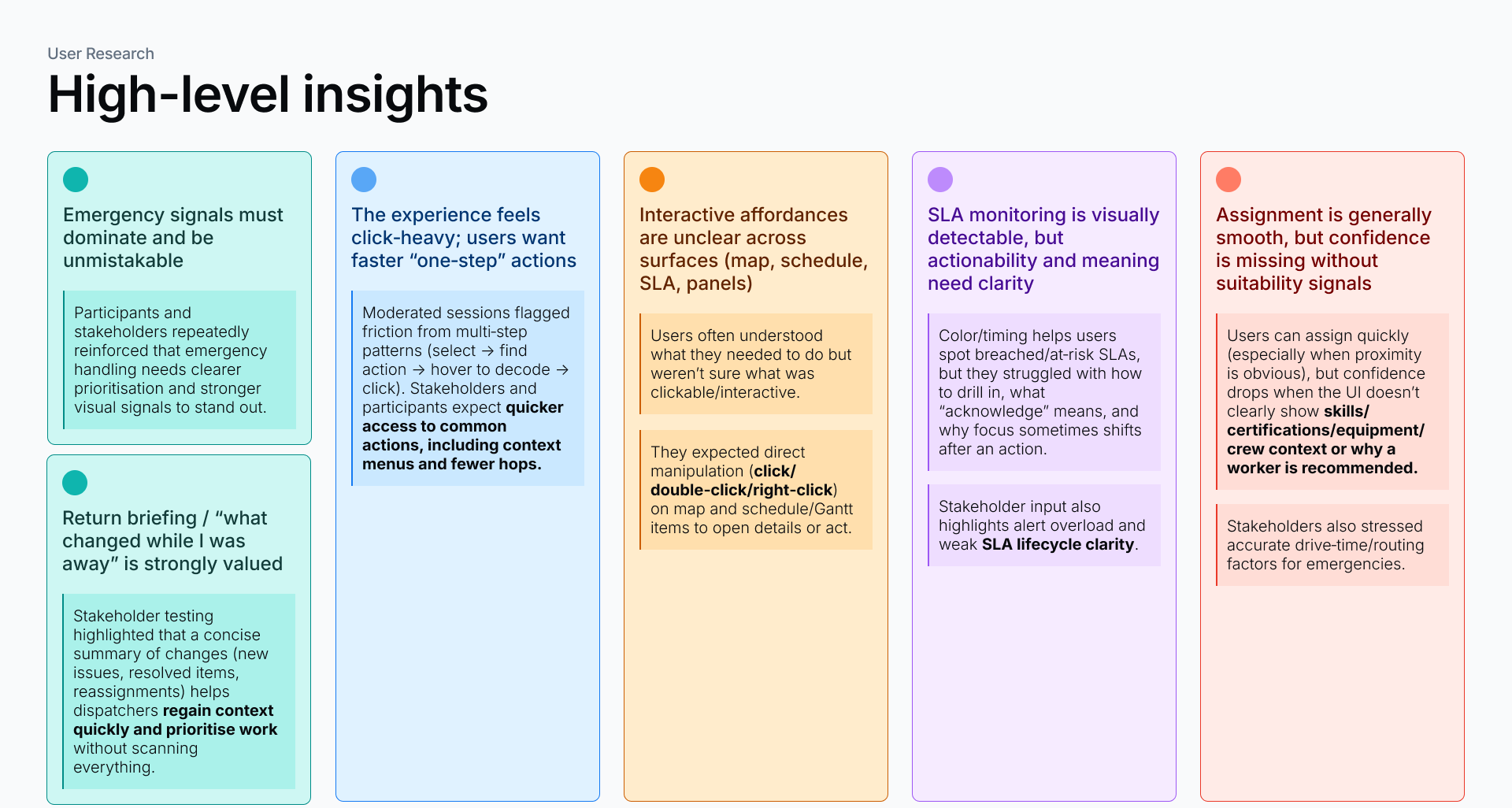
Research Findings
Identified pain points
Through customer interviews, workflow analysis, usability reviews, and discovery workshops, several recurring challenges emerged across utilities and field service organizations.
01 — Limited Visibility Across the Workflow
Planners and dispatchers struggled to maintain a clear view of work status, technician availability, and scheduling changes across multiple screens and tools.
02 — Reactive Decision-Making
Users often identified issues only after schedules were already impacted, leaving little opportunity to proactively manage exceptions or customer commitments.
03 — High Cognitive Load
Planning and dispatching required users to process large amounts of information simultaneously, making complex decisions mentally demanding and error-prone.
04 — Inefficient Scheduling Workflows
Many scheduling and dispatching activities involved repetitive manual actions, increasing effort and reducing operational efficiency.
05 — Fragmented User Experience
Critical information and actions were spread across different areas of the system, forcing users to switch contexts frequently to complete common tasks.
06 — Difficulty Prioritizing Work
Users struggled to quickly identify which jobs, technicians, or exceptions required immediate attention versus those that could wait.
07 — Lack of Contextual Insights
Although significant operational data was available, users lacked actionable insights to support confident scheduling and dispatching decisions.
08 — Legacy Workflows No Longer Matched User Expectations
The platform had evolved over many years, resulting in workflows that reflected historical system constraints rather than modern user needs.
09 — Inconsistent Experiences Across Roles
Dispatchers, planners, supervisors, and managers often relied on different workflows and mental models, creating inefficiencies and collaboration challenges.
10 — Limited Support for Evolving Business Needs
Organizations needed greater flexibility to adapt scheduling and dispatching processes to changing workforce models, customer expectations, and operational complexity.
Design Challenges
Navigating complexity at every layer
Redesigning a mature, mission-critical platform presented challenges that extended beyond the interface — requiring careful balancing of user needs, product complexity, and organizational constraints.
Key Design Challenge
Customers relied on established workflows that supported mission-critical operations. The central tension was finding opportunities for meaningful improvement while maintaining enough familiarity for users to remain productive without disruption.
Additional design challenges
•Managing product complexity — Dispatching and workforce scheduling involve numerous variables including workers, resources, priorities, locations, skills, and time constraints. Simplifying the experience without oversimplifying the underlying business processes required constant calibration.
•Designing for multiple user types — MWM supports dispatchers, planners, schedulers, supervisors, and mobile workers — each with unique goals and information needs — requiring careful consideration of context and priorities across every design decision.
•Aligning stakeholders around user needs — Stakeholders often approached problems from different perspectives. Discovery activities and customer validation helped create a shared understanding of actual user challenges and success metrics across the team.
User Validation
Testing with real users throughout
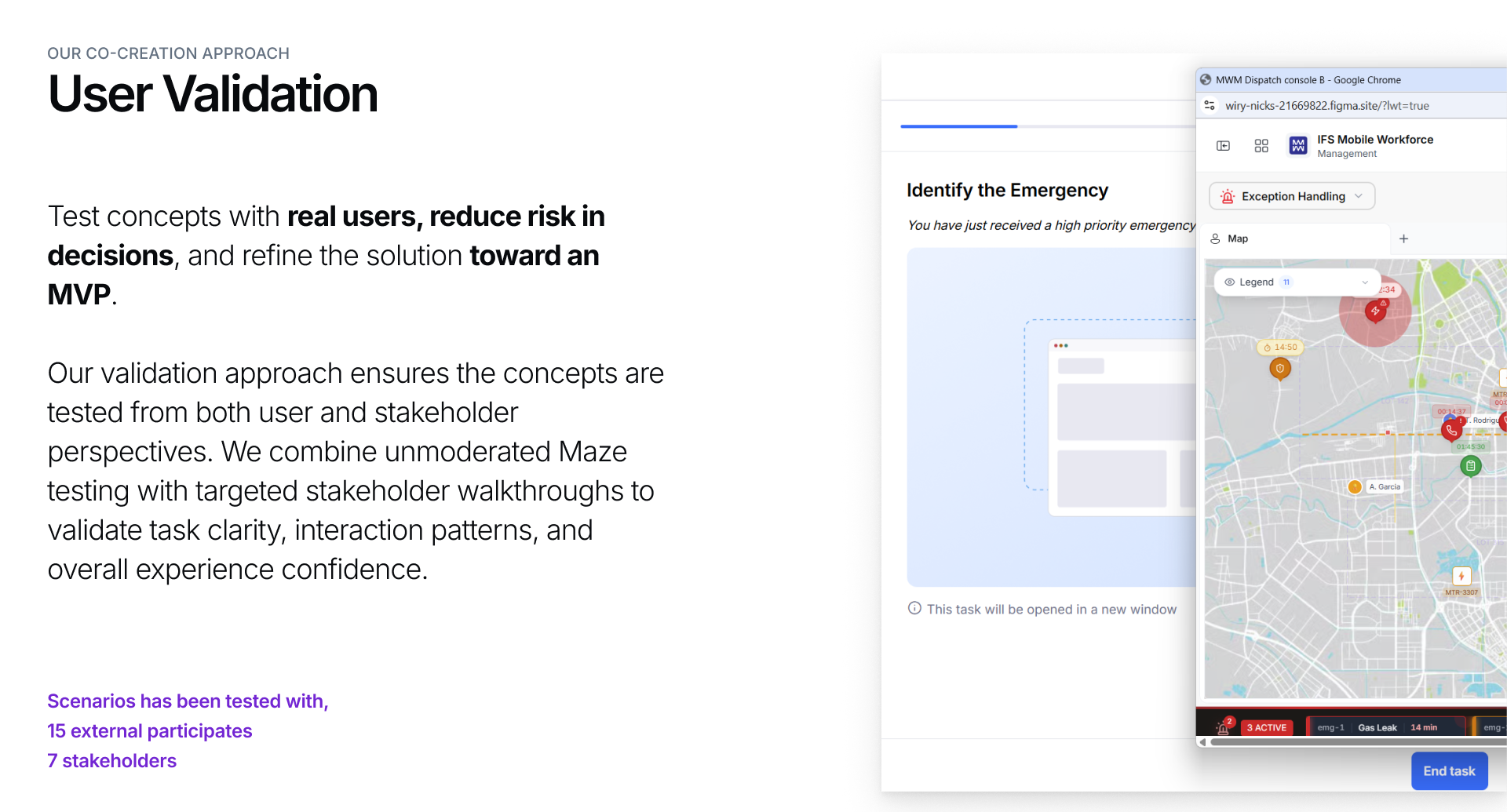
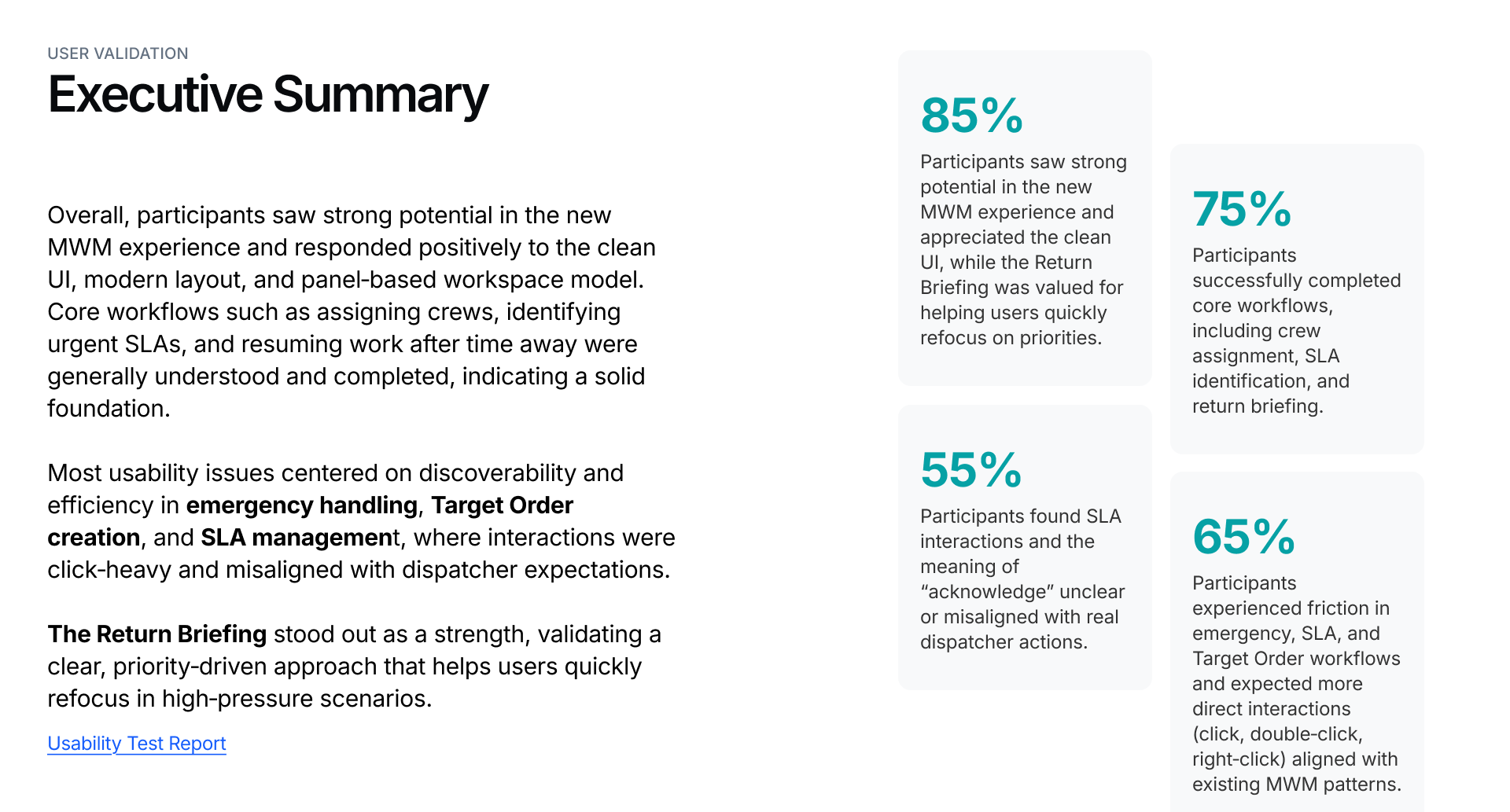
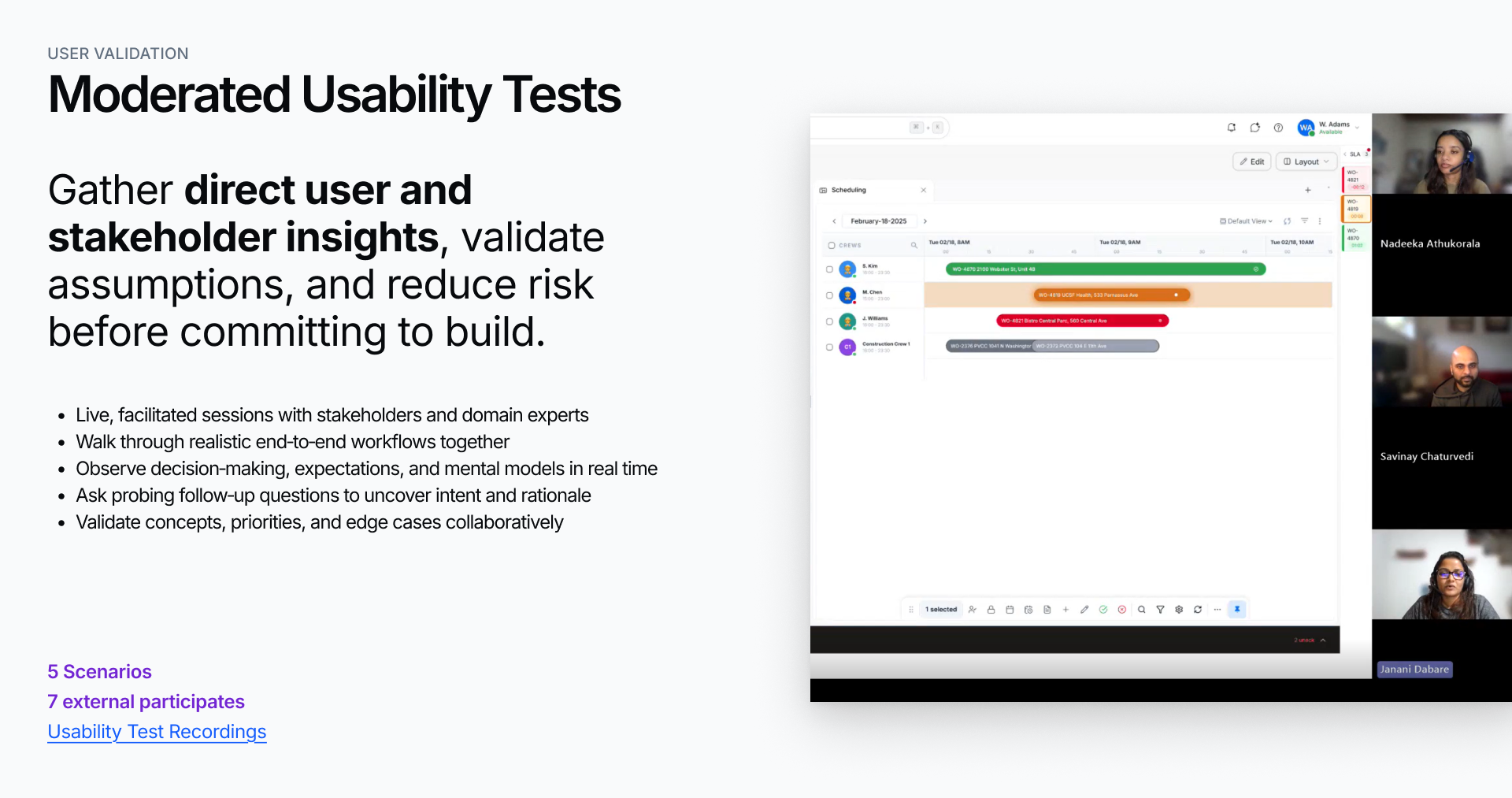
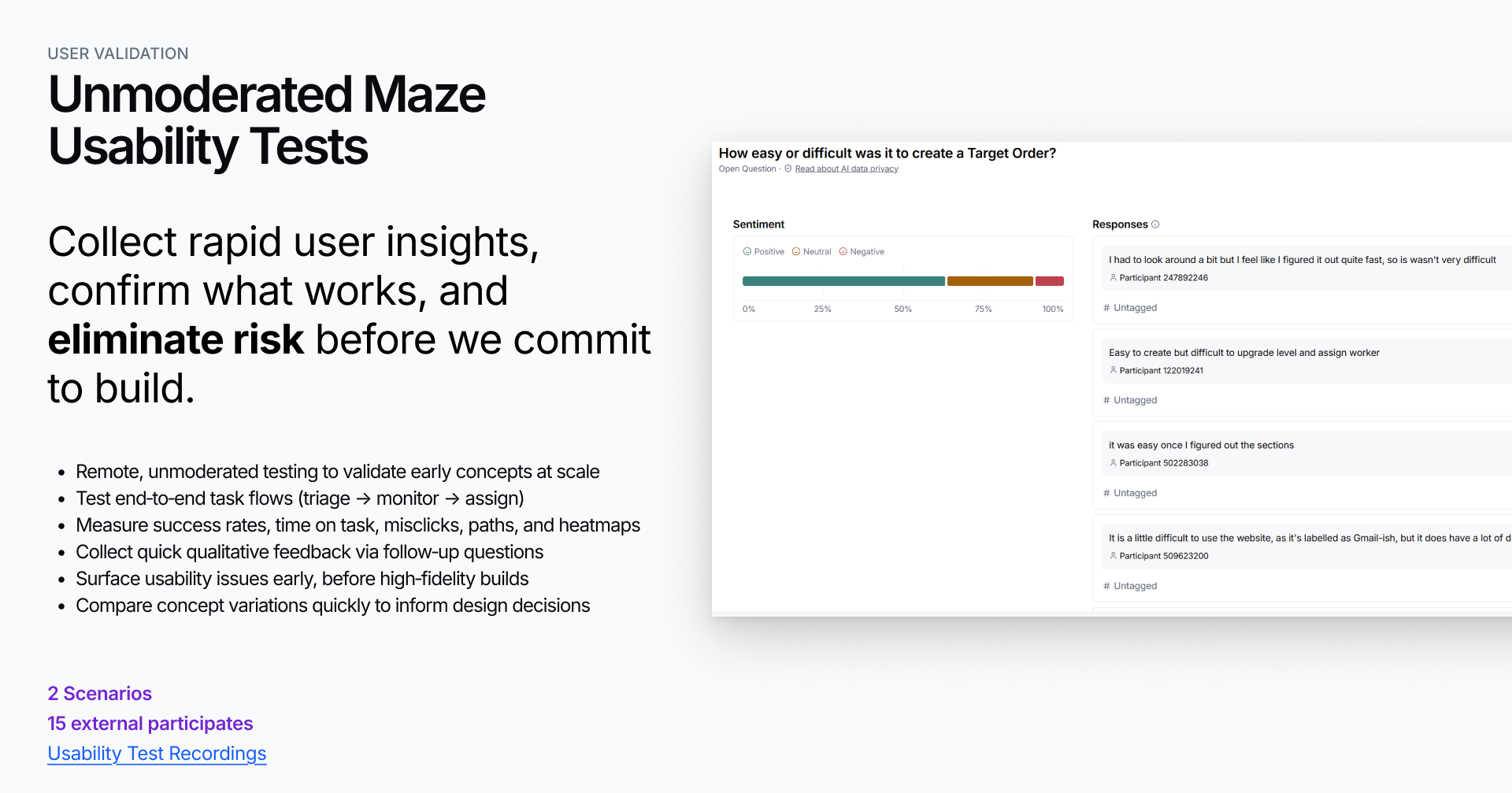
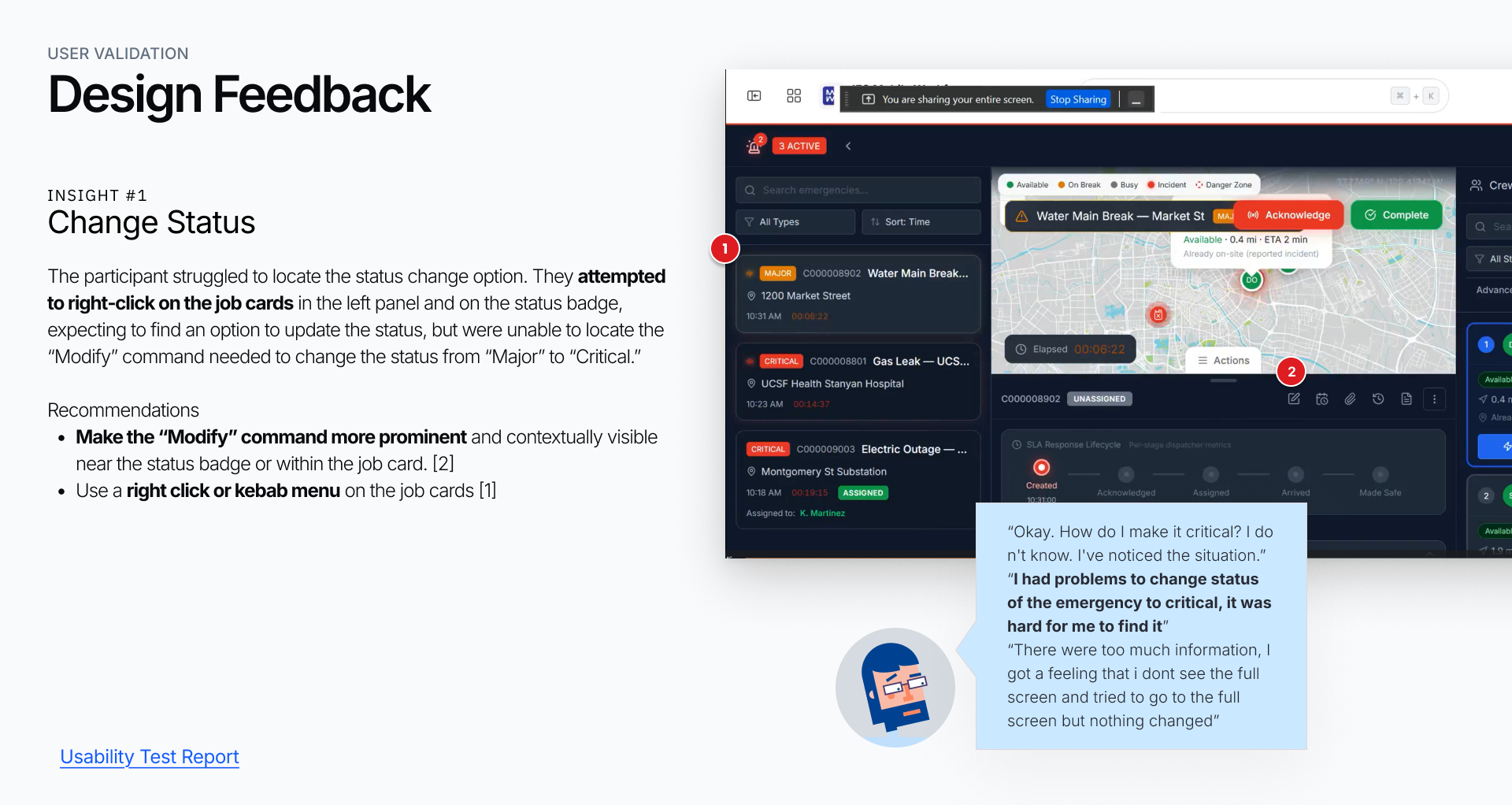
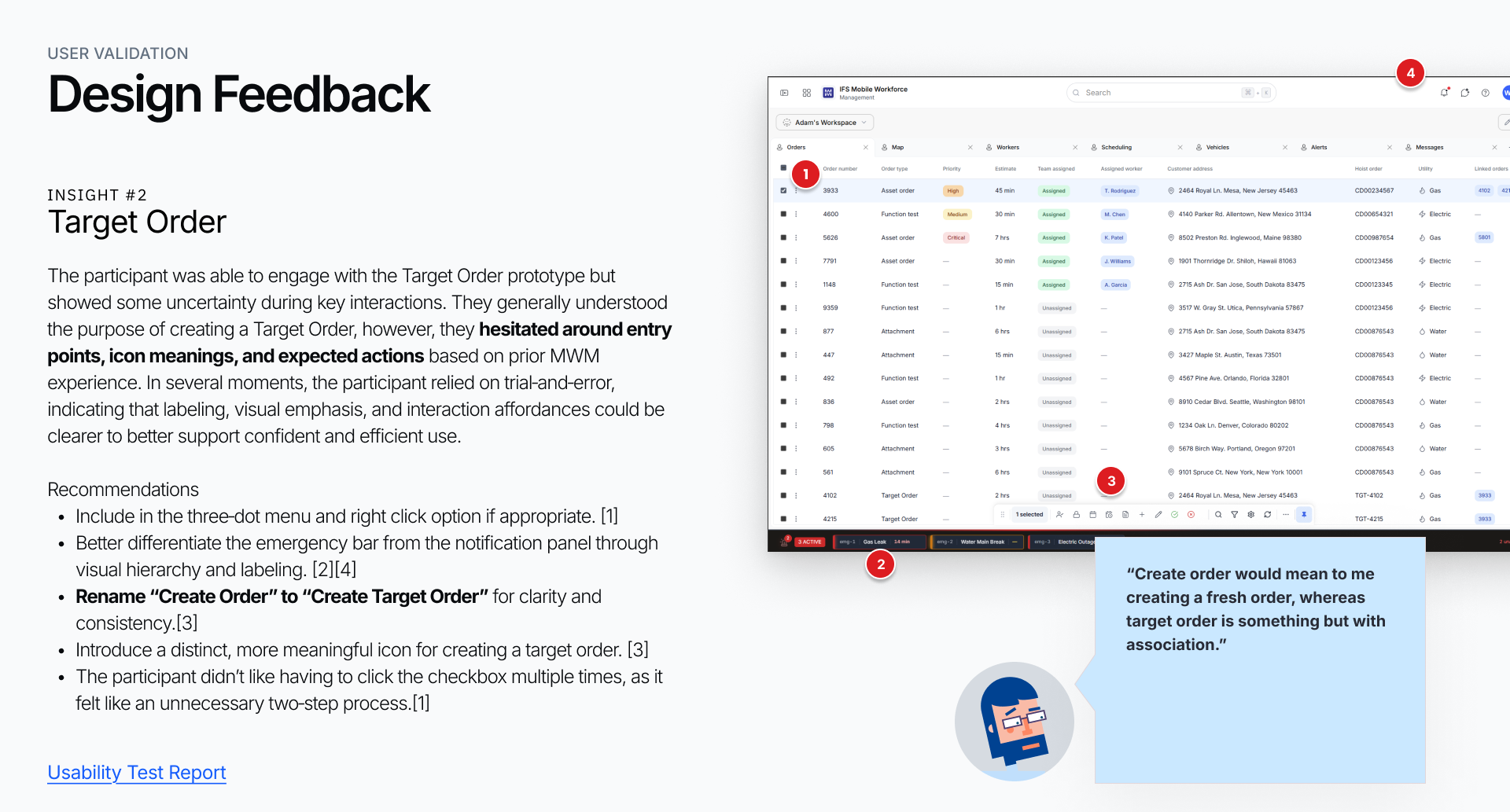
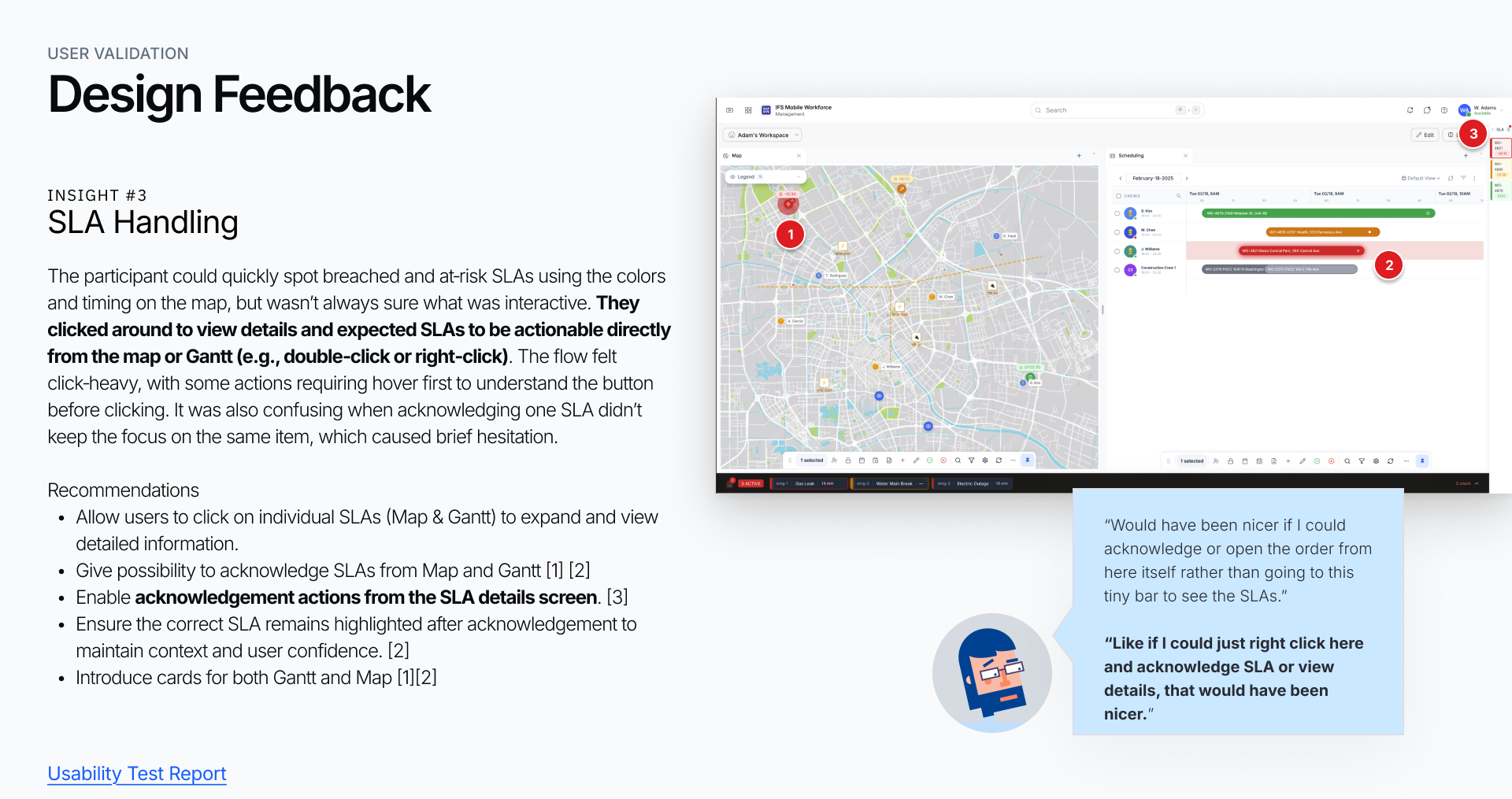
Throughout the project, concepts and interactive prototypes were continuously validated with customers, planners, and dispatchers. These sessions helped uncover usability challenges, validate assumptions, and ensure proposed solutions aligned with real-world workforce management needs.
Validation Methods
•Customer interviews
•Prototype testing
•Workflow walkthroughs
•Feedback and co-creation workshops
Key Outcome
Customer feedback directly influenced design decisions, helping the team prioritize high-value opportunities, reduce risk, and shape a future vision grounded in real user needs.
Key Learnings
One of the biggest lessons from MWM was that the most valuable improvements emerge when teams invest time in understanding users before defining solutions. By combining discovery, customer collaboration, validation, and iterative design, I was able to help shift conversations from feature requests toward user outcomes — ensuring that design decisions were grounded in evidence rather than assumptions.
The project also reinforced the importance of continuous validation. Even within a mature product, user needs evolve, and maintaining close contact with customers remains essential to delivering meaningful improvements.